Skip to content

CAD for the apparel industry · Windows and Mac

Pattern-making CAD and grading

The program for drafting, editing and grading patterns, designed by people who work in the fashion industry. It runs on Windows and on Mac too, and it sits inside the management software: the pattern lives next to the style, the bill of materials and production.
Book a demoMarker making

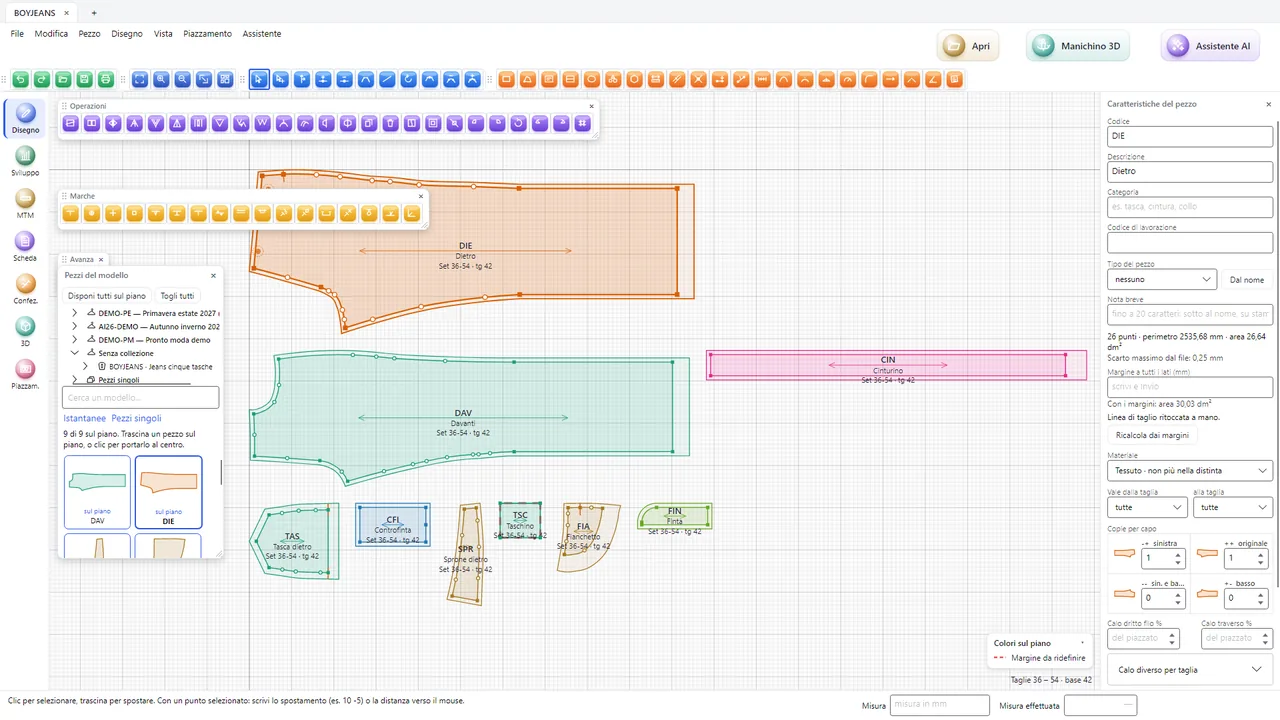
The Fashion Core™ CAD with the pieces of a pair of trousers on the work area: back, front, waistband, pocket, fly facing, yoke, coin pocket, side panel and fly, with the piece properties on the right

Drafting and editing pieces

  • Straight and curved lines with handles, grade points and curve points, and measurements typed on the keyboard.
  • Pattern-cutter's edits: move by an exact number of millimetres, change the length of a line, rotate a part, mirror, duplicate, split and join.
  • Notches (straight, V and U), drill holes, internal lines, grain line and topstitching that follow the piece.
  • Seam allowances line by line, with corners; the cutting line updates as you work.
  • Measurements along the outline and in a straight line, with a comparison between the seams to be sewn together.
  • Unlimited undo and redo, with the list of steps.
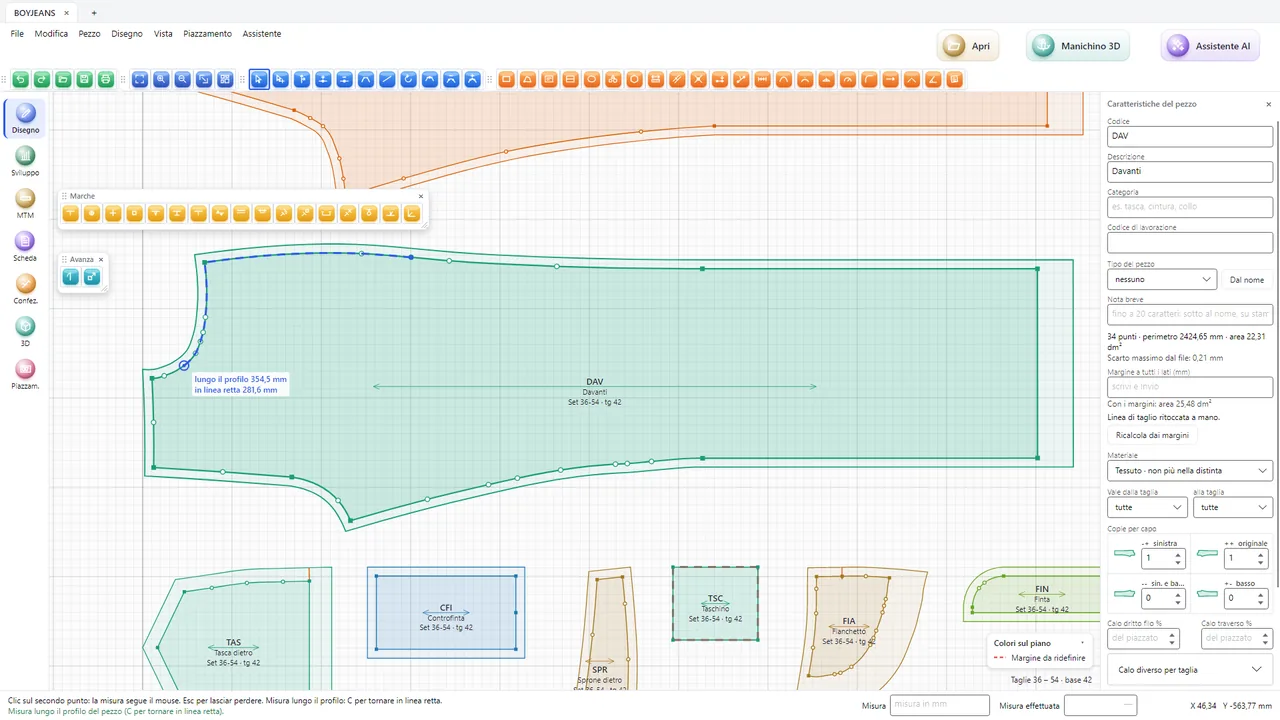
The front of a pair of trousers in the CAD with the crotch measurement: 450.7 mm along the outline and 342.4 mm in a straight line, the seam allowance and the points of the piece
The measurement along the outline and in a straight line, as you move the mouse.

Grading with grade rules and breaks

X and y rules per size along the grain line, point by point, with breaks from a given size onwards and half sizes. Notches, drill holes and internal lines follow their own rules. The same rule can be given to several points, and a break is offered to the other points in the same proportion.
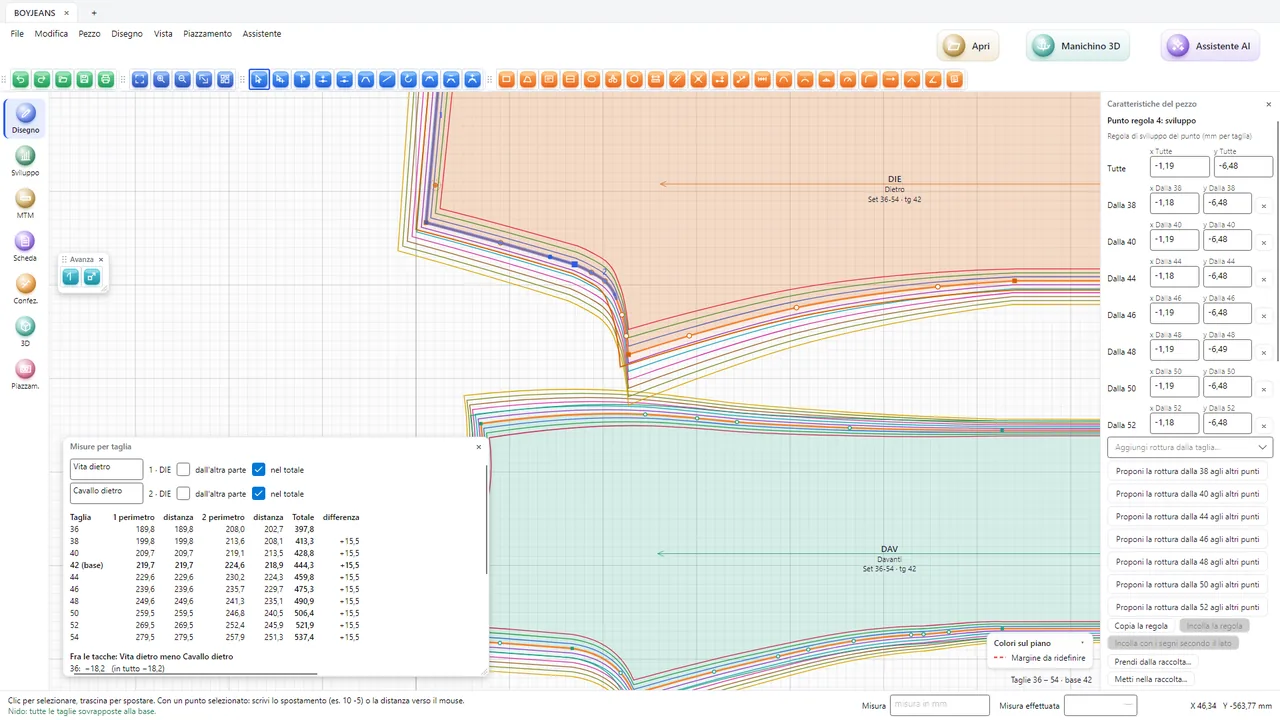
  • The nest: all sizes stacked, each in its own colour.
  • The measurement table of a line in every size and the comparison between two seams to be sewn together, with the difference.
  • The base size can be changed, and the pieces become those of the new base size.
Grading a pair of trousers: the table of back waist and back crotch measurements by size from 36 to 54, with the difference between sizes, and the grade rules of the point with the breaks
Back waist and back crotch measurements in all sizes, with the grade rules of the point.

Work with everyone: files, digitiser and machines

DXF-AAMA import and export

With the rule file (RUL): curves, seam allowances, notches, grain line, internal lines, drill holes and grade rules with breaks. Whatever does not carry over, the program tells you.

The digitiser

Paper patterns are copied with the tablet and the cursor: the program follows the pieces on the list one after the other.

Plotter and cutting machine

Pieces to the plotter for checking at the table, and markers in HPGL and ISO with notches, drill holes and grain line.

The pattern inside the management software

The piece's material comes from the bill of materials, the marker's consumption goes back into the bill of materials, and the sample size is the base size.
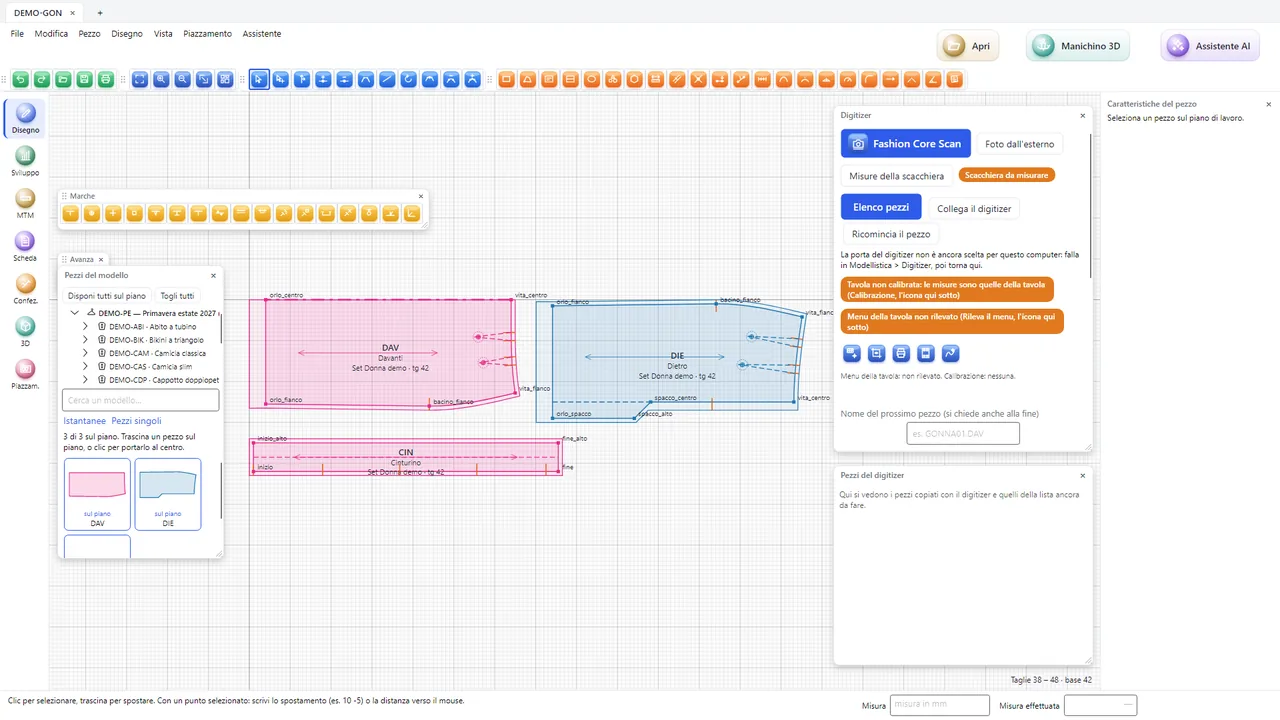
The digitiser window in the CAD: the list of pieces to copy with style, size range, base size and material, and the digitised pieces on the work area
The list of pieces to copy with the digitiser.

Tell the CAD in plain words

With the AI assistant you write what you want to do, for example “lengthen the front by 2 cm” or “add a 1 cm seam allowance on all sides”. The assistant suggests the commands, you see the list of what will change and decide whether to apply it. Every step can be undone.

Without the assistant the CAD works just the same, with all its tools.

The CAD for schoolsFor studios